Monthly Budget Clarity: Planner + Excel Tracking System

Monthly Money Clarity Starts with One Repeatable System
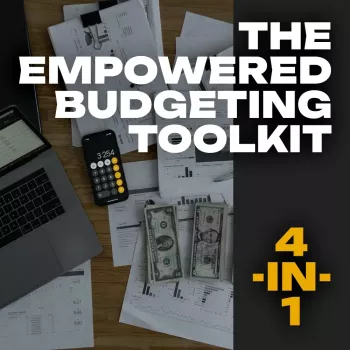
Financial stability gets easier when planning, tracking, strategy, and mindset support each other instead of competing for attention. The Empowered Budgeting Toolkit is built as a 4-in-1 bundle designed to help create a calmer monthly routine: set a plan, track what happens, adjust without guilt, and reinforce the habits that make progress feel sustainable.
If you’re ready to reduce “where did it all go?” moments and replace them with a clear snapshot of bills, spending, savings, and next steps, start with The Empowered Budgeting Toolkit | 4-in-1 Bundle.
What’s Included in the 4-in-1 Toolkit
- Budget planner for organizing income, fixed bills, variable spending, and sinking funds so your plan is visible before the month begins.
- Excel guide for structured tracking, quick calculations, and rollups by month and category to reduce errors and “missing money” confusion.
- Monthly expense + savings system that reveals patterns, highlights top spending drivers, and helps set realistic targets.
- Wealth strategies section focused on habit-building, prioritization, and steady long-term progress.
- Guided affirmations for wealth to support consistency, reduce avoidance, and reinforce goal-follow-through.
Who This Toolkit Fits Best
- Beginners who want a guided structure rather than a blank spreadsheet and a vague promise to “track everything.”
- Anyone rebuilding after overspending, lifestyle creep, or months of inconsistent tracking.
- Households that need a shared snapshot of bills, variable expenses, and savings goals without constant back-and-forth.
- Goal-driven savers working toward emergency funds, debt payoff, or milestone purchases.
- People who prefer practical tools + mindset prompts so the system keeps working even during busy weeks.
How to Use It Each Month (A Simple Routine)
1) Start with income and non-negotiables
Set the month’s income and fixed obligations first: rent/mortgage, utilities, insurance, minimum debt payments, and any essential recurring costs. This creates a “must-cover” baseline.
2) Set variable targets based on real life
Instead of guessing, assign targets using prior-month trends. If groceries averaged higher recently, plan closer to that number and focus on one doable improvement.
3) Track weekly to avoid end-of-month panic
Update spending weekly to stay aware without burning out. Weekly tracking also reduces decision fatigue because you’ll catch issues early, when they’re still easy to correct.
4) Do one mid-month adjustment
Schedule a short check-in to reallocate categories (for example, shifting from dining out to groceries) before small overspends compound.
5) Close the month with one improvement
Review totals, pick one change for next month, and set a realistic goal. Consistency beats intensity—especially when life gets busy.
Budget Planner + Excel Guide: Why the Combination Works
Many budgeting systems fail because they rely on only one side of the process: either you plan beautifully and never track, or you track endlessly and never use the information to make decisions. This bundle supports both.
- The planner supports intention-setting: categories, targets, and planned savings before spending begins.
- The Excel component supports accuracy: totals, comparisons, and quick updates that keep the picture clear.
- Using both reduces common failures like missing transactions, inconsistent categories, and unclear priorities.
- Simple workflow: plan first, track as the month runs, then review and adjust with the Excel view.
Monthly Expense Tracking That Leads to Better Decisions
Tracking works best when it’s organized, not obsessive. Start by grouping expenses into stable buckets (housing, transport, food, health, debt, lifestyle, savings). Then separate “monthly bills” from “true expenses” like annual fees, car repairs, gifts, and subscriptions that show up irregularly.
Category caps keep small daily purchases from quietly reshaping the entire plan. Focus on the top three spending drivers each month (often housing, food, and transport) and adjust those before cutting everything else. If you want a strong foundation for your budget categories and routine, consumer-friendly guides like the CFPB budgeting resources and FDIC Money Smart can be helpful references.
Example Monthly Budget Snapshot (Adjust to Fit Real Numbers)
| Category | Planned | Actual | Notes / Next Step |
|---|---|---|---|
| Housing & Utilities | $1,650 | $1,650 | Keep fixed costs stable; review annual rate changes |
| Groceries | $450 | $510 | Lower by meal planning; switch 1–2 premium items |
| Transport | $220 | $205 | On track; set aside for maintenance in sinking fund |
| Subscriptions | $45 | $62 | Cancel/rotate one service; audit quarterly |
| Debt Payments | $300 | $300 | Automate; add extra payment when possible |
| Savings (Emergency/Goals) | $400 | $350 | Increase after subscription reduction next month |
Savings and Wealth Strategies Built Into the Toolkit
Budgeting becomes motivating when it’s clearly connected to savings momentum and wealth habits. The toolkit emphasizes practical moves that reduce friction and increase follow-through.
For take-home pay planning—especially if you’ve had recent changes—tools like the IRS Tax Withholding Estimator can help you align withholding with your budget reality.
Guided Affirmations for Wealth: Making Consistency Easier
Common Budgeting Pitfalls (and Quick Fixes)
Getting Started: First Week Setup Checklist
Budget-Friendly Add-Ons to Support the Habit
- 18K Gold Plated Daisy Drop Earrings (easy to categorize as a planned personal purchase).
- Battery-Powered Backpack Sprayer with Cart – 4 Gal (a good example of a sinking-fund item for home or yard needs).
- 6 PCS Kids Balance Beam Stepping Stones for Toddlers (helpful for families planning kid-related spending in advance).
FAQ
Does this work if income changes week to week?
Yes. Use a baseline plan that covers fixed bills first, set variable categories as ranges, and adjust weekly using the Excel tracking view as new income arrives.
Is the Excel guide beginner-friendly?
Yes. It’s structured for guided entry—start with a smaller set of categories for the first month, then expand once your routine feels easy and consistent.
How long does monthly budgeting take with this toolkit?
Expect 30–60 minutes for first-time setup, then 10–15 minutes for weekly check-ins and about 15–25 minutes for a month-end review. The biggest time-saver is consistency, not longer sessions.











Leave a comment